Reporting in ConSol CM
Introduction to reporting
The data generated during daily work with ConSol CM is a valuable source of information about your business. Reporting helps you to gain insights from this data and to share these insights with the users.
Reporting in ConSol CM is based on three components:
-
Dashboards: component for showing reports in the Web Client
-
Data warehouse: database which is filled with ConSol CM data which is relevant for reporting
-
CM/EBIA: add-on for creating reports using an intuitive graphical user interface
Dashboards
The dashboard is a standard component of the Web Client for sharing reports with the users. It is displayed on the start page after logging in. The dashboard is configured in the Web Client by adding widgets to one or several tabs. The widgets can display reports, highlight specific cases or show any other information which is helpful for the users in their daily work.
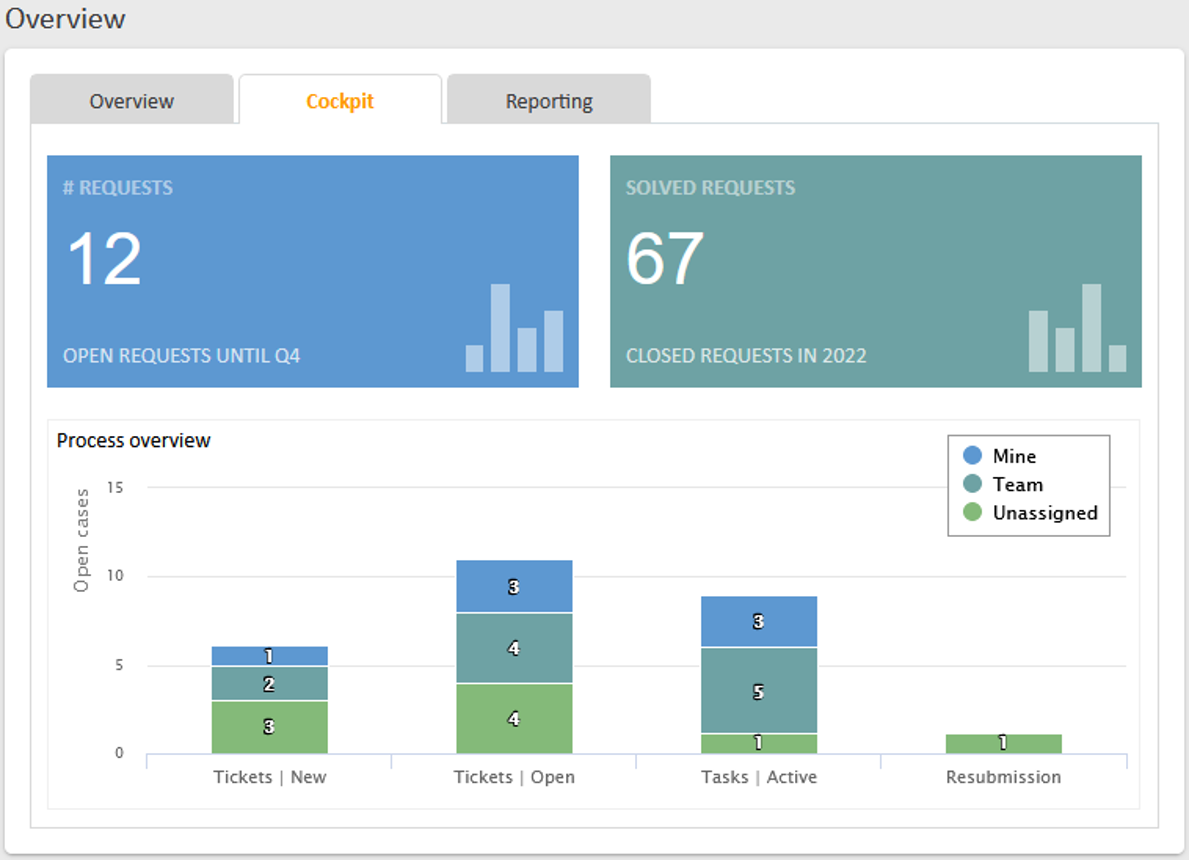
The following standard widgets are available:
-
Calendar
-
Chart
-
KPI
-
News
-
Recent changes
-
Recently visited
-
Table
Alternatively, you can use the HTML widget to integrate a dashboard created in CM/EBIA.
A detailed description about configuring dashboards can be found in the ConSol CM Administrator Manual.
Data warehouse
The data warehouse is a separate database which is filled with data from the ConSol CM database. The data model of the data warehouse is optimized for reporting purposes. This has the advantage that the creation of reports does not impair the performance of the ConSol CM system, even if a large amount of data has to be processed. In addition, the data warehouse can store historical data which has already been removed from the production database.
The data warehouse is managed by a separate application, the CMRF. During the setup of the ConSol CM system, the CMRF must be installed by either deploying it together with ConSol CM on an application server, or by running it as a standalone Java application. In both cases the communication between ConSol CM and CMRF must be configured in the properties files of the application. A detailed description about the installation can be found in the ConSol CM Setup and Operations Manual.
Afterwards, the data warehouse can be managed using the Web Admin Suite. This includes defining which data is needed for reporting and therefore needs to be available in the data warehouse, and transferring this data to the data warehouse database. In addition, you can create cubes on the database to facilitate report creation. A detailed description of the required steps can be found in the ConSol CM Administrator Manual.
CM/EBIA
CM/EBIA is an add-on which uses a licensed enterprise version of the third-party application Metabase. It is integrated with the Web Client using single sign-on. With CM/EBIA you can create reports directly in the Web Client on a user-friendly graphical user interface. The created reports are shared with the regular users as dashboard widgets.
Usually, the data from the DWH database is used for reporting with CM/EBIA. You can create your reports directly on this data or create a cube which contains the data in an appropriate format on the Cubes page of the Web Admin Suite, see Cubes.