Usability improvements for CM/Track V3
The following usability improvements for the CM/Track V3 have been made.
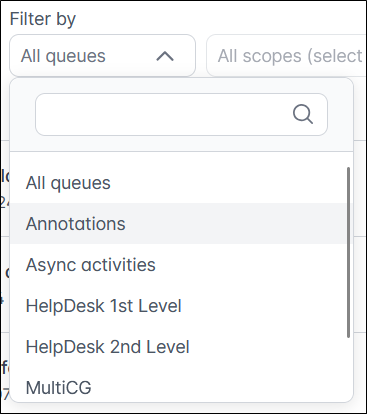
Queue filter sorted alphabetically (#666830)
The entries in the queue filter on the Tickets and FAQ pages are now sorted alphabetically. In addition, a search input field has been added, allowing users to quickly locate a specific queue when many queues are available.
Configurable duration for toast display (#668321)
The display duration for toast messages, such as validation errors or success notifications, in CM/Track can now be configured in the portal configuration. This is useful if the users need more time than the default display duration of 5 seconds to read longer validation messages.
The new setting Display time for validation messages (in seconds) has been added to the General settings section on the Portal configurations page of the Web Admin Suite. You can set the value to 0 to disable the automatic dismissal; in this case, the user must click on the toast message to close it manually.
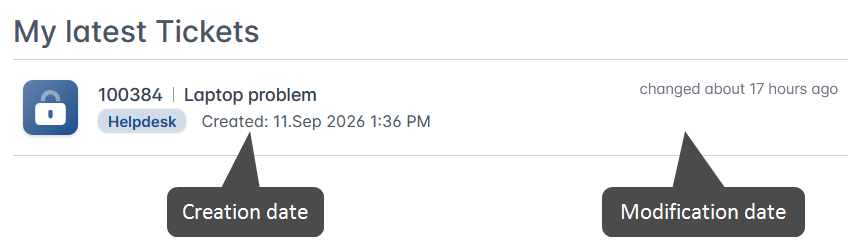
Date display in ticket list widget improved (#669561)
The ticket list widget on the welcome page of CM/Track now displays the last modification date of each ticket on the right. This is consistent with the display when opening the Tickets page. In addition, the tickets are sorted by modification date, so that the most recently updated tickets appear at the top of the list.