Targeted system messages in ConSol CM
Announcement and important notices should reach service teams exactly where they work every day. With system messages in ConSol CM, you can display relevant information directly in the Web Client and CM/Track and target it to the right users. This allows informing the users about downtimes or security announcements without making them switch context.
What are system messages?
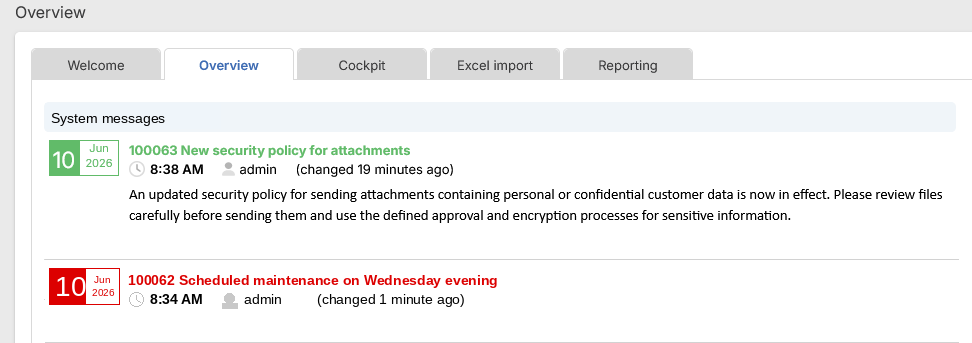
System messages, also called news, are short notices consisting of a headline and some text. If needed, you can add images as well. Common use cases for system messages are notices about system updates, planned maintenance, security topics or other relevant events.
Where can I show system messages?
Depending on the targeted users, you can show system messages in a news widget on the Web Client dashboard or on the start page of CM/Track. This way, they are directly visible in the work context. In the Web Client, you can decide to send a notification via the bell icon to the users whenever you publish a new system message.
Who can see the system messages?
Not every piece of information is equally important for every user group. You can decide which team receives which system messages to keep communication relevant. It is even possible to target news based on settings in the user or contact data.
How do I configure system messages?
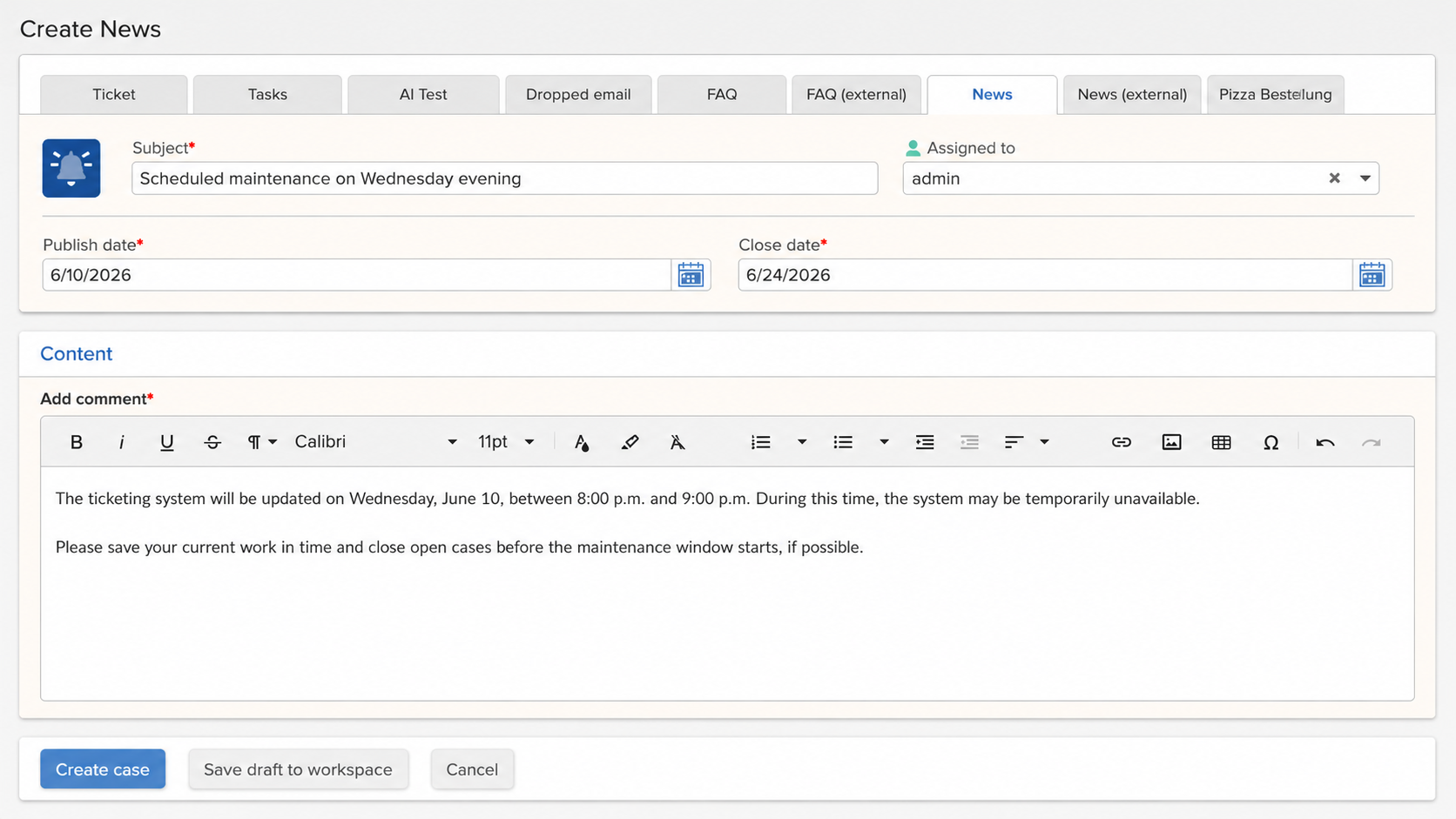
To get started with using system messages you need a small workflow and a couple of scripts. The workflow defines the process for creating and publishing news entries. It can be quite simple consisting of a couple of status scopes and activities only. In addition, you need a script for deciding which system messages are displayed where and to whom. If you want to send automatic notifications when a new system message is published, an additional script is needed.
Conclusion
With system messages in ConSol CM, service teams can communicate important news directly within the system. This improves the visibility of relevant information and supports smoother day-to-day work.