Version 6.18.3 released
With version 6.18.3 of ConSol CM, you benefit from targeted improvements in CM/Track V3, the Web Admin Suite, and the rich text editors. The focus is on a fully configurable portal start page, more transparency for your customers, more consistent email rendering, and finer-grained options for security notifications.
CM/Track start page is now fully configurable
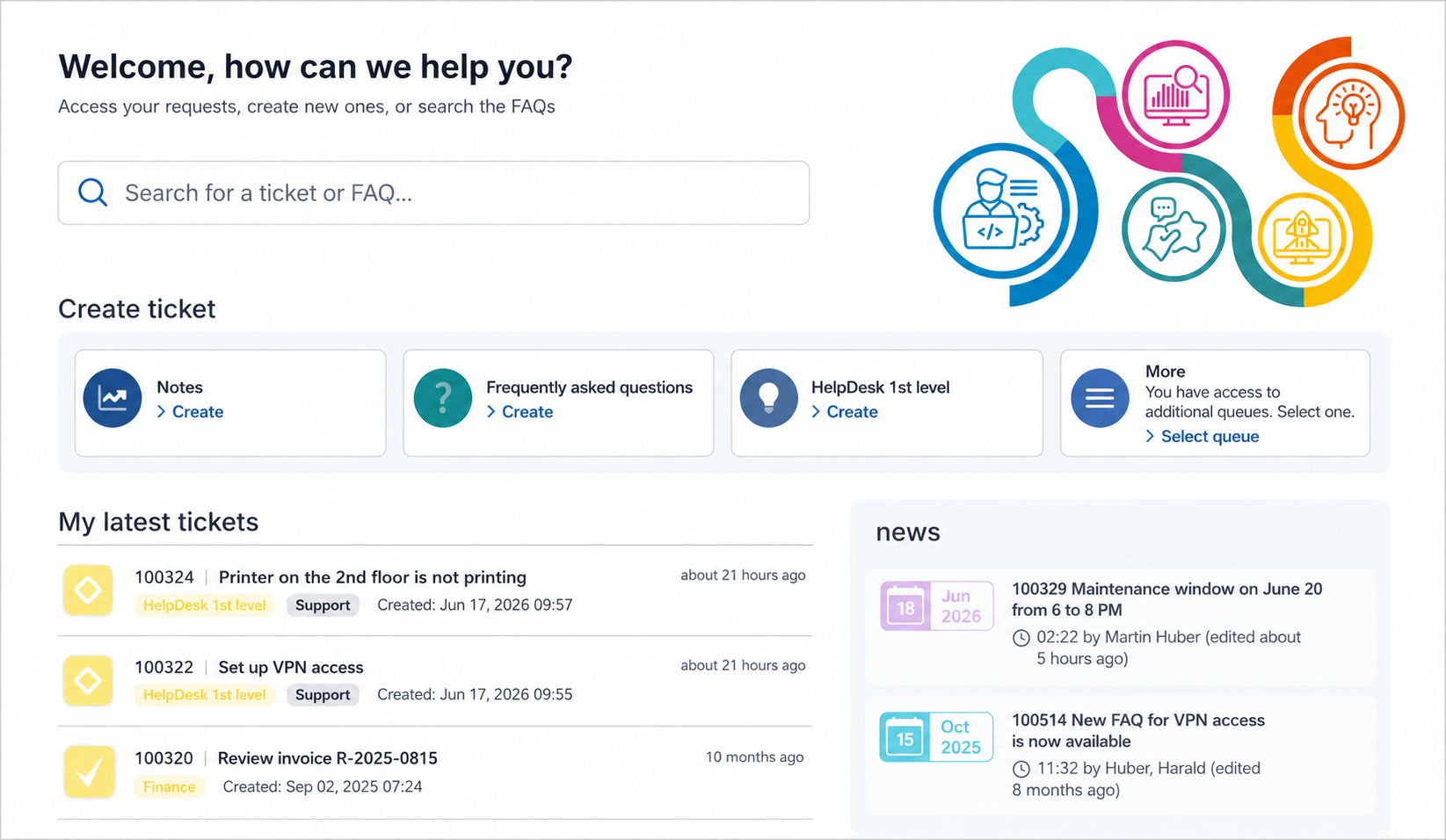
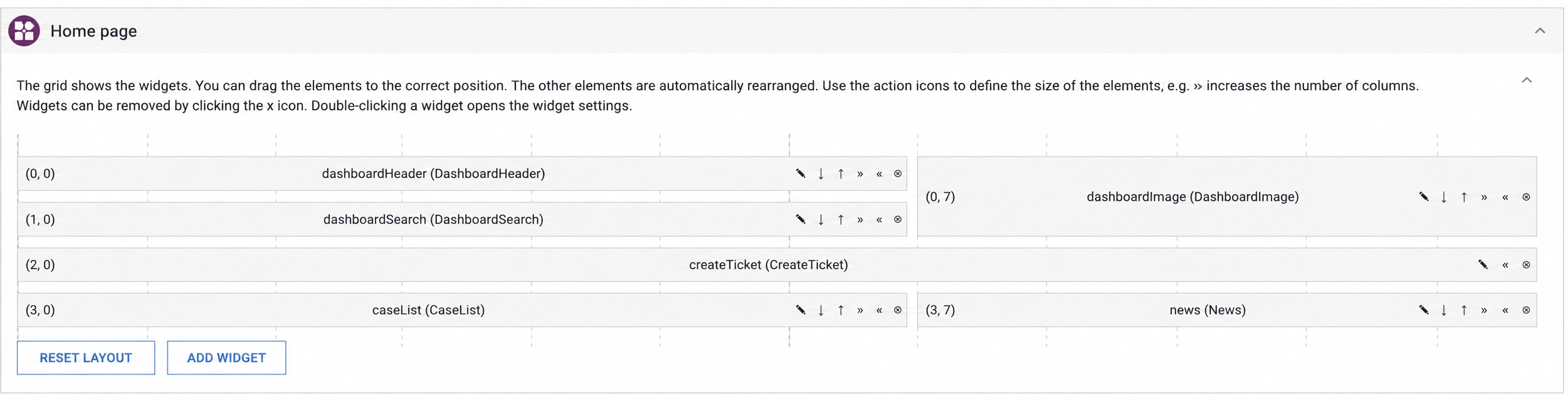
With version 6.18.3, the start page of CM/Track V3 can be fully customized. The four previous default blocks – welcome headline, image, search field, and case creation tiles – are now treated as individual widgets that you can freely arrange, add, hide, or remove.
This lets you design the portal exactly the way it suits your customers.
A graphical interface for this is available in the portal configuration of the Web Admin Suite. Using the Reset layout button, you can return to the default view at any time.
On update, everything stays as it was at first: your start page looks unchanged and can be adjusted later as needed.
For more information, see Usability improvements for CM/Track V3
Assignee is now visible in CM/Track
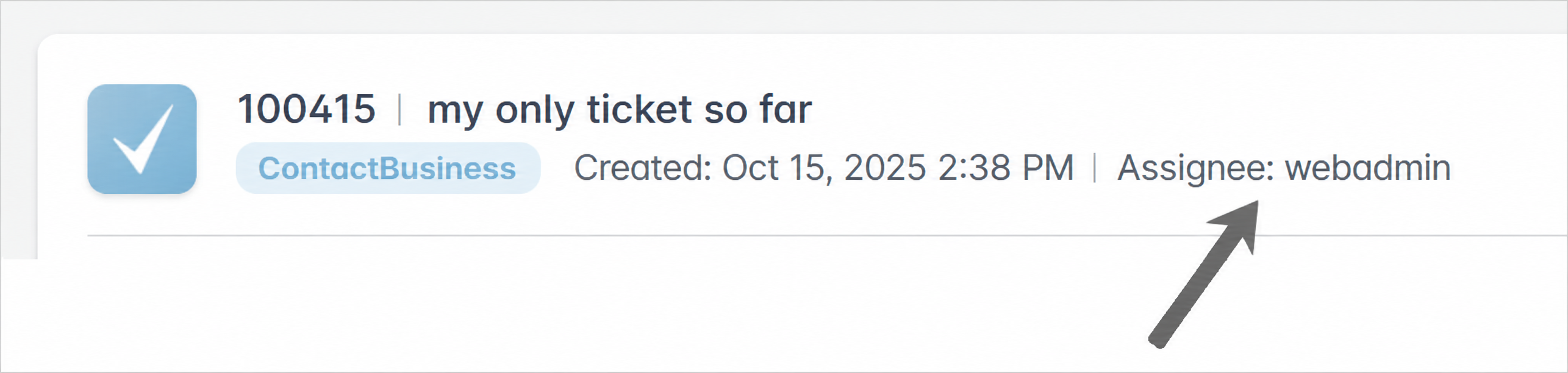
As of now, CM/Track V3 can optionally display the assignee of a case – both in the case list and in the case header. This way, your customers can see at a glance who is taking care of their request. This builds trust and is helpful wherever the personal point of contact matters.
The display is disabled by default and can be enabled in the Web Admin Suite via the new setting Show the name of the case assignee. If you wish, you can use a dedicated template to define how the assignee's name is displayed.
For more information, see Showing the case assignee in CM/Track (#650518, #667594)
Improvements to email fonts and font sizes
The rich text editors in the Web Client and the Web Admin Suite now handle font formatting more carefully: font family and font size are only set when you actively select them.
As a result, the text inherits the client's default settings, and no fixed formatting is injected that previously interfered with the display in email clients.
In addition, new fonts can now be added centrally via the data directory. Once stored, they are available both in the Web Client and in the Web Admin Suite – for example, in the email and comment editor as well as in the template editor. Using the new global rich text editor configuration, you can also define a uniform default font and font size directly in the Web Admin Suite. This way, your comments, emails, and templates look consistent throughout.
For more information, see Usability improvements for the Web Client
More options for notifications about blocked accounts
Notifications about blocked accounts can now be controlled more precisely. Previously, there was only a single combined setting – as of version 6.18.3, you decide separately who is informed: on the one hand, the affected users and contacts, who receive an email with a link to unblock their account; on the other hand, the administrators, who are informed by email about the blocked account and the associated unblock code.
This gives administrators more control over security alerts – with no extra effort during the update, since your previous setting is migrated automatically.
For more information, see Usability improvements for the Web Admin Suite
Dive deeper
Visit Introduction to the release 6.18.3 to see the full list of changes.
Any questions – or simply feedback? Contact your ConSol CM representative in Consulting, Support, or Sales. We look forward to talking with you!