Version 6.19.0 released
Version 6.19.0 of ConSol CM focuses on more self-service and convenience in CM/Track, improved usability in the Web Client, and new possibilities for AI, storage and administration.
More self-service and convenience in CM/Track
Find solutions faster with the new AI agent in CM/Track
The new AI agent makes self-service in CM/Track even easier. Users can describe their request in their own words and ask the AI agent to search the FAQs or their own tickets for relevant information. This allows questions to be answered directly and existing information to be found quickly.
If a new ticket is required, the AI agent also assists with its creation. It identifies relevant information from the conversation, asks targeted questions if information is missing and prepares the ticket for the user.
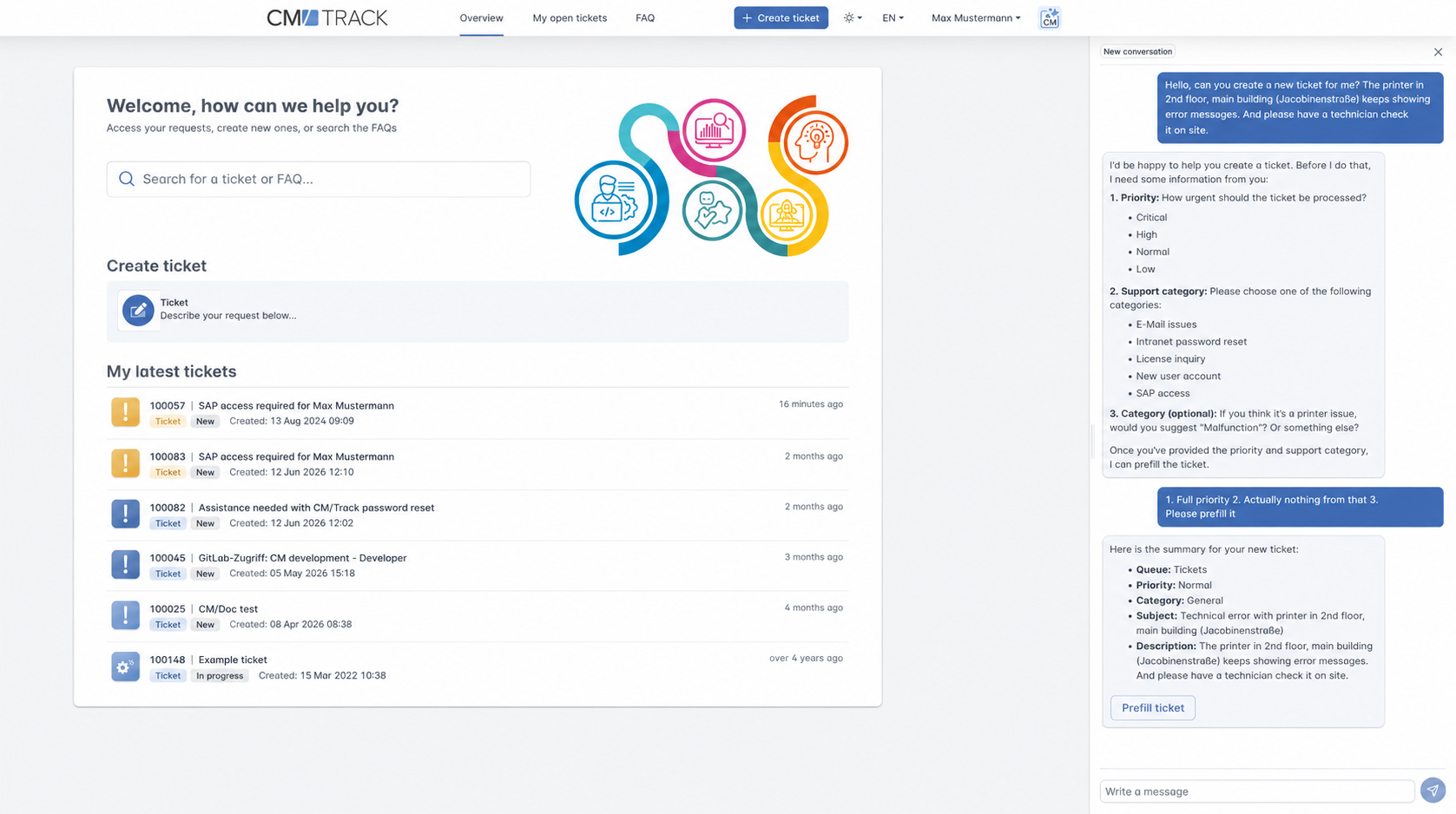
Users can then review the prefilled data and create the ticket themselves as usual. The AI agent can also add comments to existing tickets.
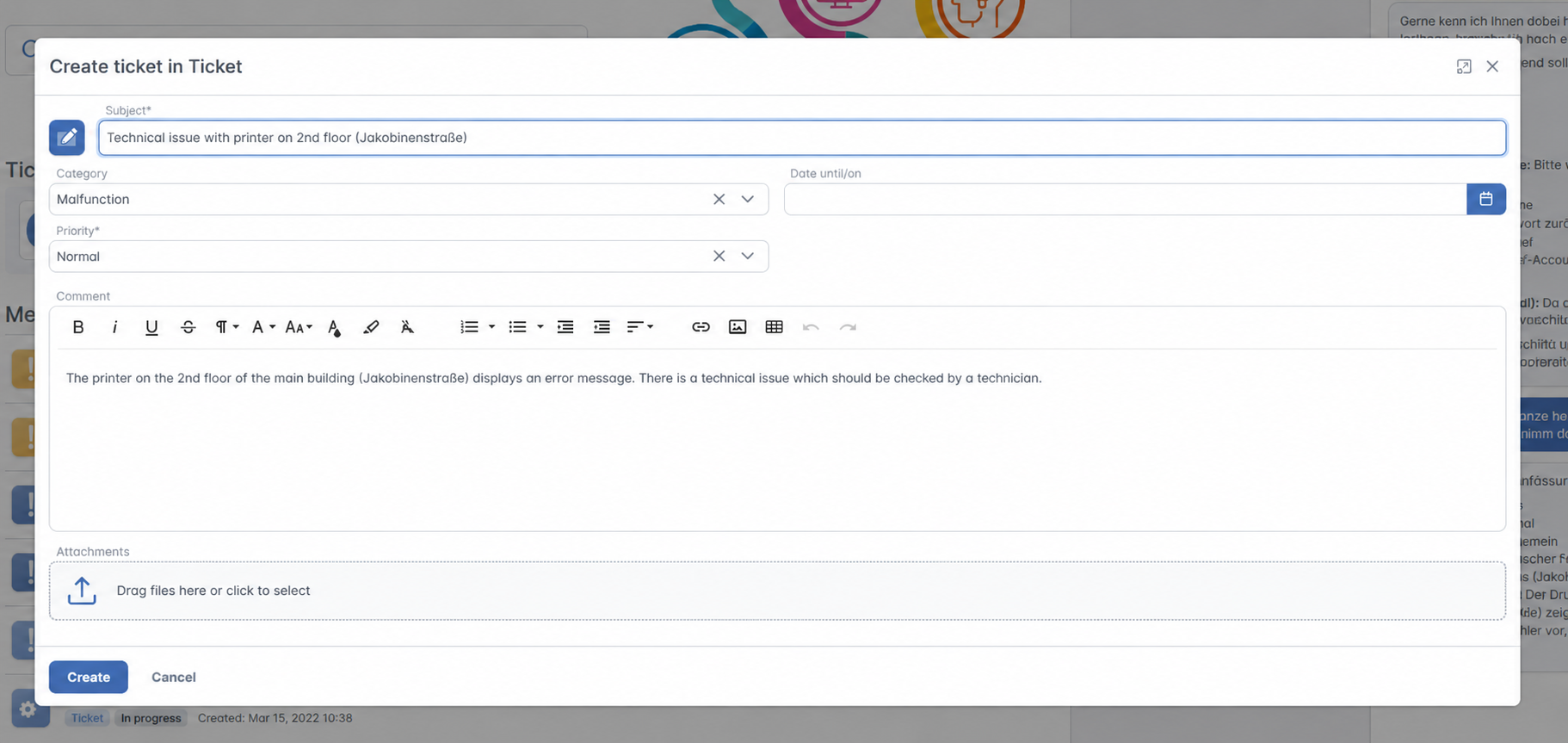
See AI agent for CM/Track for details.
Forms that adapt to user input
Dependent fields make forms in CM/Track clearer and more focused. Depending on information already provided, additional fields or entire field groups can be shown or hidden automatically. Users only see the information which is relevant to their current request and are guided through the data entry process step by step.
The dynamic display is available during ticket creation and for individual fields in activity forms.
Learn more about dependent fields in CM/Track.
Keep personal contact data up to date
Users can now update their own contact data directly in CM/Track. The new Edit my data feature allows them to view and update the personal information which has been made available for this purpose.
For example, users can update their telephone number or email address themselves without having to contact an internal service representative.
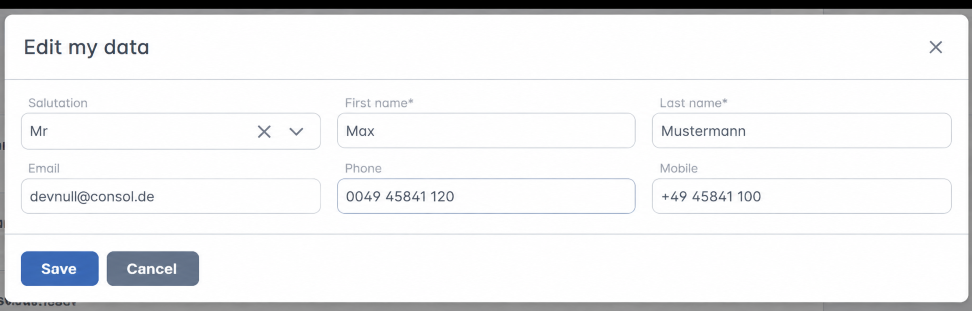
Find out how this works in Editing own contact data in CM/Track.
Create similar tickets faster
Users who want to create a new ticket which is similar to an existing one can now use the new Duplicate feature.
The existing ticket data is copied to the ticket creation form, so recurring or similar requests do not have to be entered again from scratch.

Check out Duplicating cases for further details.
Select the right language with one click
In multilingual portals, users can now select their preferred language directly in the CM/Track header.
When the portal is opened for the first time, it uses the language configured in the browser. Users can then easily switch between the available languages. This makes CM/Track more convenient to use, particularly in international environments.
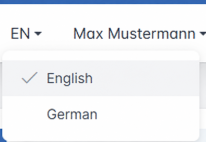
Read more about the language selector.
Better overview and usability in the Web Client
Create, evaluate and edit time bookings more easily
Time booking has been comprehensively redesigned in version 6.19. Time bookings can now be viewed directly in the case or on a dedicated page and filtered by date range, project or case.
Users with the required permissions can also evaluate the bookings of other users and export the displayed data to a CSV file for further analysis.
The creation process has also been made clearer. In addition to manually entering a start time and duration, users can now specify the booked time by entering a start and end time. Depending on their permissions, users can subsequently edit or delete their own time bookings.
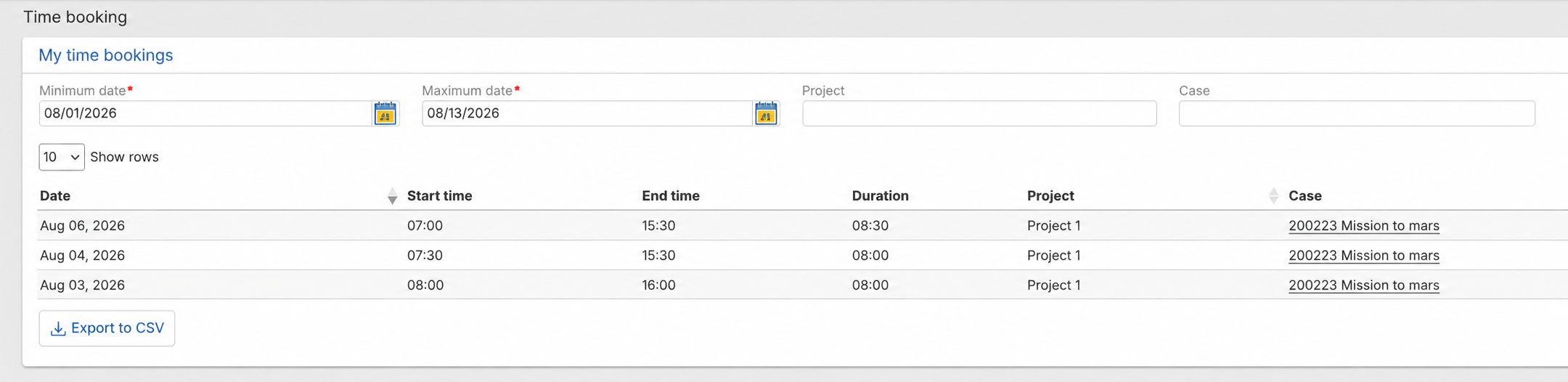
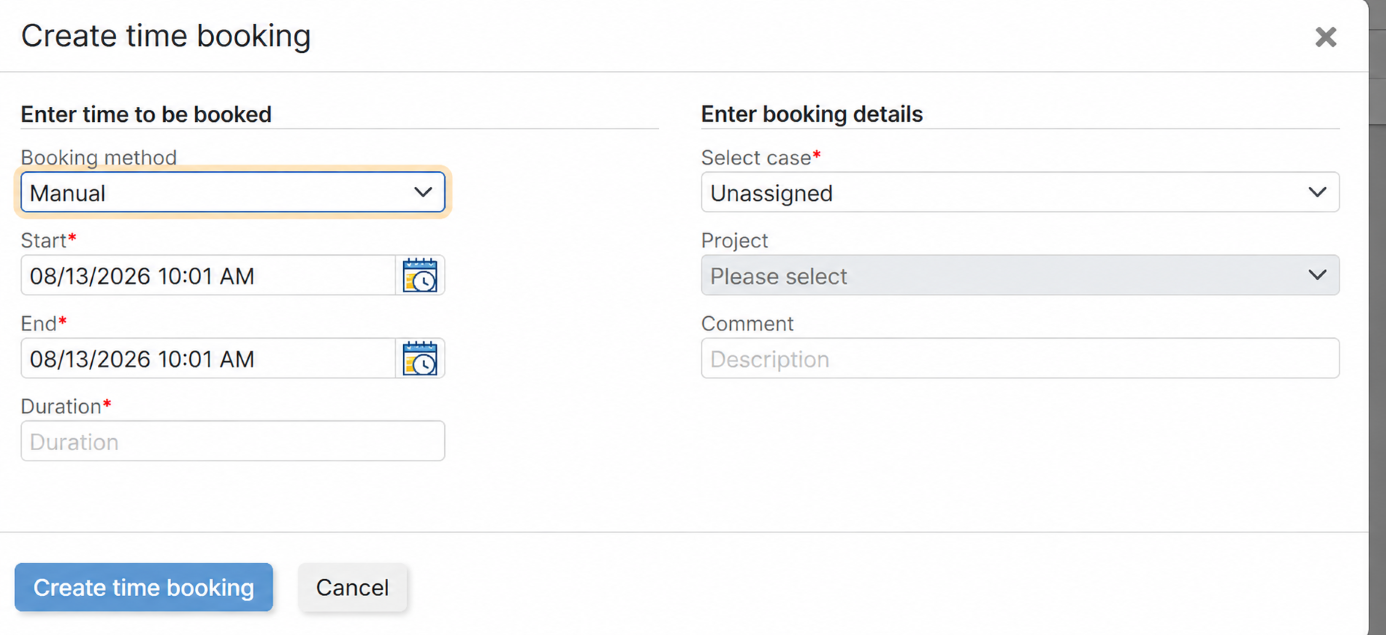
Explore the complete feature in New time booking feature.
Representations for notifications
Configured representations can now also be taken into account for notifications displayed using the bell icon. This means that important information can automatically reach the responsible representative when a user is absent. Notifications generated when a user is mentioned can also be forwarded to their representative.
User selectors now indicate when a representation has been configured for a user.
For data protection reasons, notifications which are sent manually using the notification feature continue to be delivered exclusively to the selected recipient.
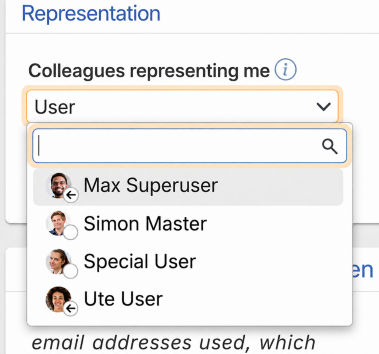
See Representation support for notifications for details.
More clarity by grouping cases by scope
Case lists can now be grouped by the current scope in the process. This allows users to see at a glance which cases are still in a scope such as New and which ones are already being processed.
The new grouping option provides a clearer overview of the current processing status, especially in extensive views.
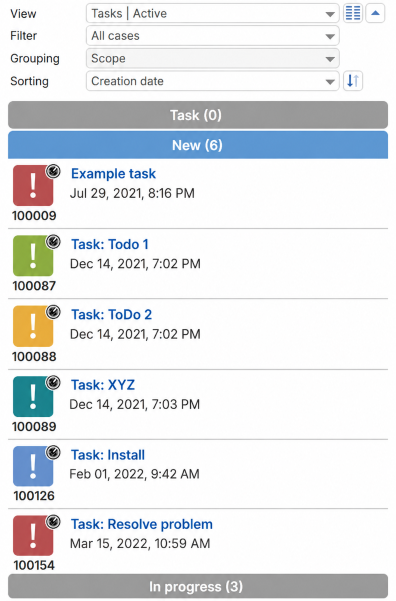
Learn more in Grouping case list by scope.
View the complete case history at a glance
The new All entries (expanded) option allows users to open the complete communication and history of a case.
This includes longer comments and emails, entries which have not yet been loaded and hidden technical information. In addition to making extensive case histories easier to read, this also allows users to search the complete history using the browser search.
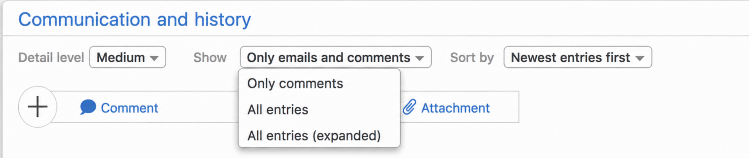
Find more information in Expanding all case entries.
Select dates and times more conveniently
The new date picker makes selecting dates and times more convenient. Its modernized interface allows users to move between months and years more quickly, making dates further in the past or future easier to select.
For fields which contain both a date and a time, both values can now be selected in the same component. Alternatively, the date and time can still be entered directly in the input field.
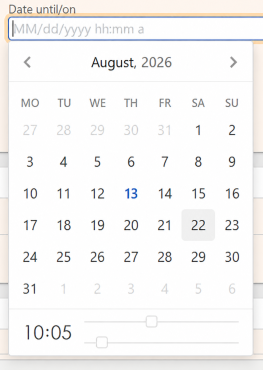
Check out New date picker for further details.
Find deactivated contacts and resources
The detail search has also been extended. Instead of merely including deactivated contacts or resources in the search, users can now search specifically for deactivated entries using the new Status (active / deactivated) criterion.
This makes inactive contacts and resources much easier to find without them being mixed with active search results.
Read more in Search for deactivated contacts and resources.
More possibilities for AI, storage and administration
Open ConSol CM to external AI agents – in a controlled and secure way
The new MCP server allows external AI agents to access data and functions in ConSol CM. For example, AI agents can search for cases and contacts, retrieve information, or initiate actions such as creating and updating cases.
The existing ConSol CM permissions continue to apply. Users authenticate with their regular credentials, and the AI agent receives a bearer token which allows it to operate exclusively within the permission context of the respective user. This means that AI-supported actions remain subject to the existing access controls in ConSol CM.
The AI agent and the Large Language Model are provided by the customer. The MCP server provides the new interface to ConSol CM.
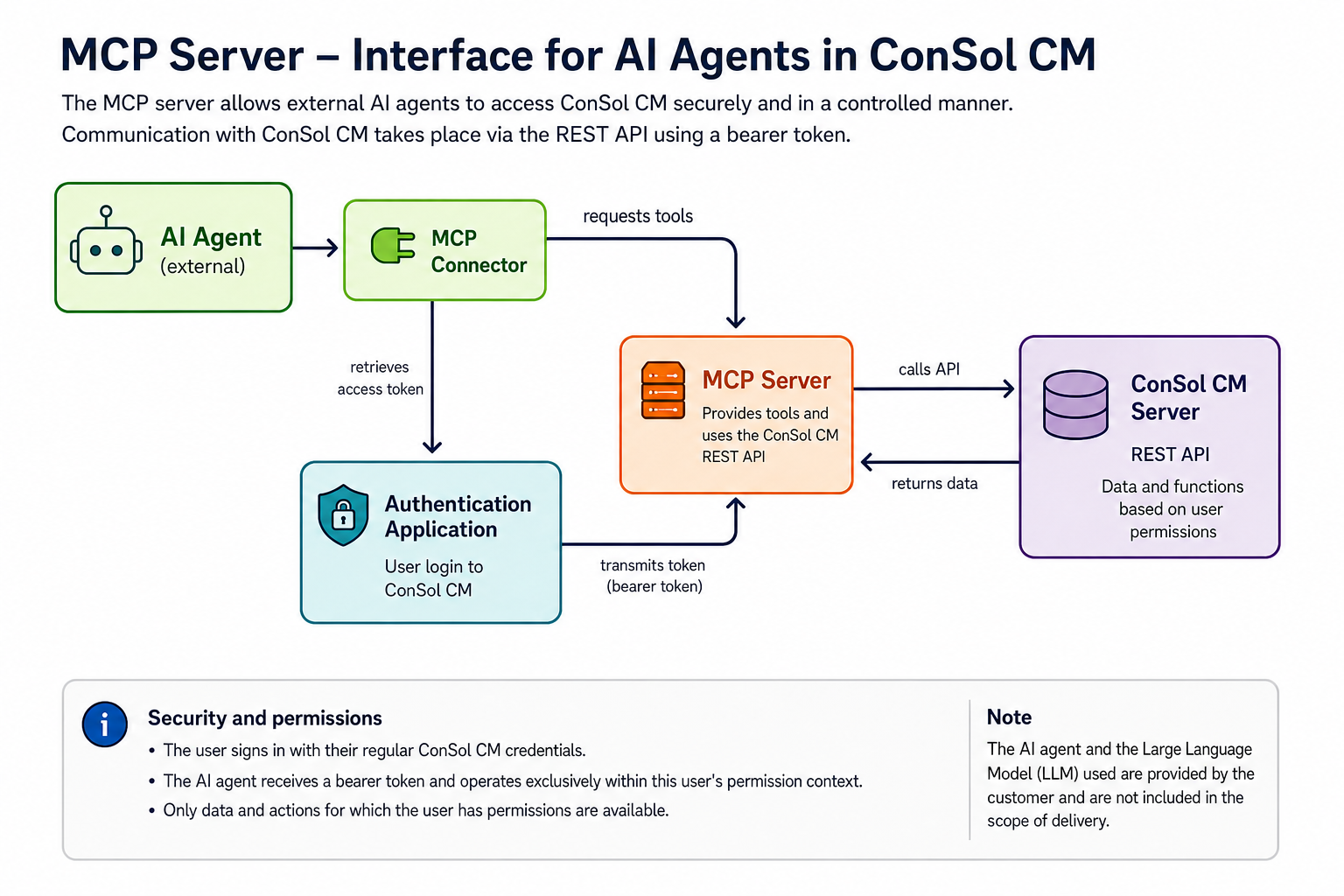
The technical details are available in MCP server for using external AI agents and Support for bearer token authentication added.
Create more database space by storing attachments in S3
Attachments in cases and inline images in comments and emails can now be stored in an Amazon S3-compatible object storage instead of directly in the ConSol CM database.
This can significantly reduce the amount of storage-intensive binary data in the database, particularly in systems with a large number of attachments.
After the feature is enabled, existing attachments are transferred automatically in the background. Once synchronization has been completed successfully, the file is removed from the database while its metadata and the reference to its storage location are retained.
A new dashboard widget in the Web Admin Suite allows administrators to monitor the synchronization status at any time.
Learn more about S3 storage for attachments.
Identify mailbox problems faster
The status of configured email mailboxes is now monitored in greater detail. The Email receiver widget in the Web Admin Suite shows administrators at a glance whether all enabled mailboxes are reachable or whether individual accounts have connection problems.
The check interval has also been reduced from one hour to ten minutes, making problems with email retrieval visible much more quickly.
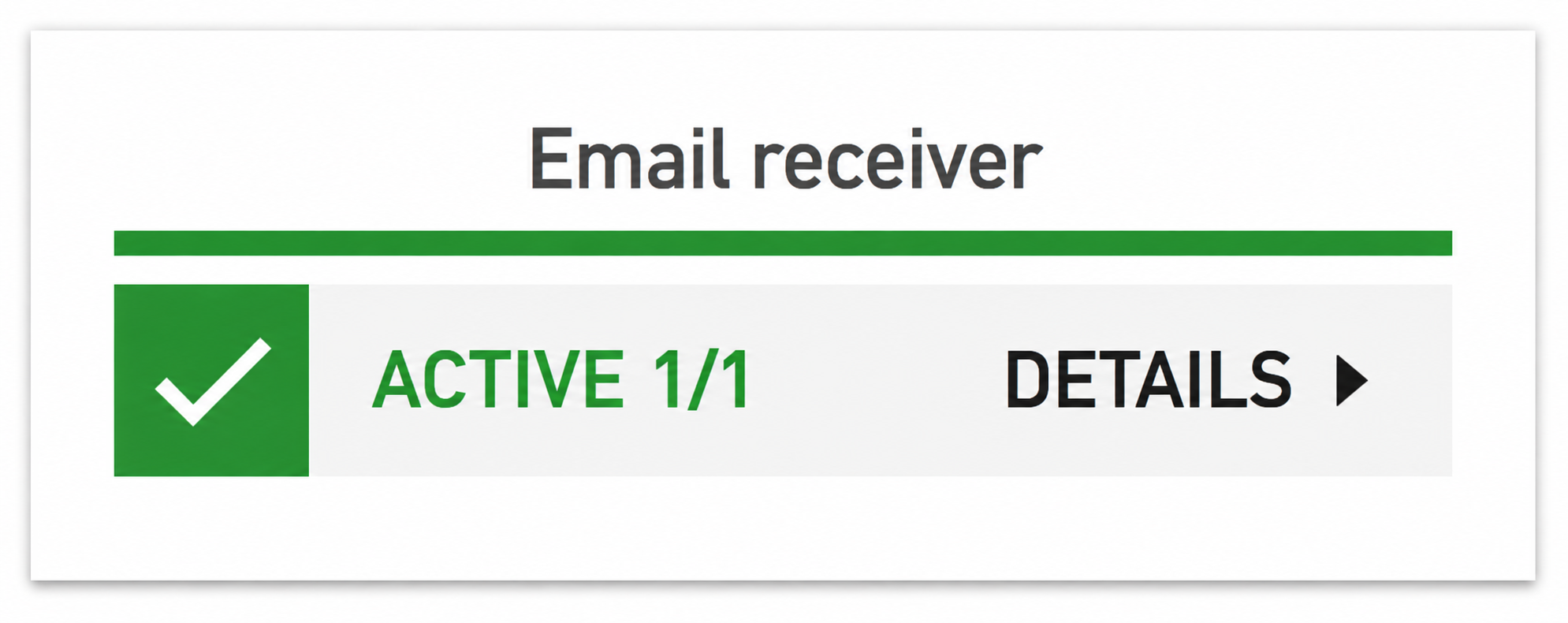
See Status information for mailboxes improved for details.
Validate all scripts with one click
Especially after a system update, it is important to identify potential errors in scripts quickly. The new Validate scripts feature allows administrators to check all scripts together instead of opening them individually.
Scripts containing errors are highlighted in red and can be displayed using the new validation status filter. Scripts which are embedded directly in workflows are included in the validation as well.
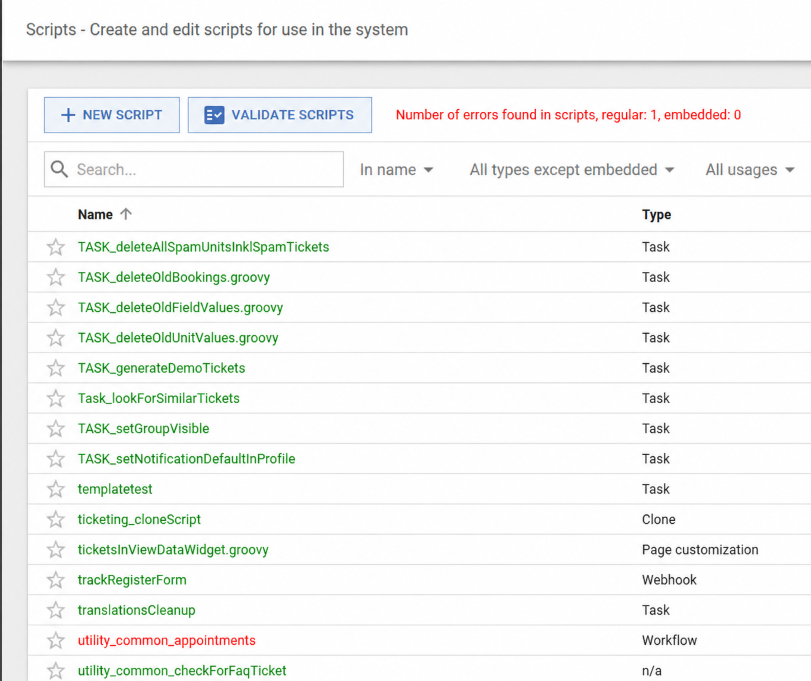
Find more information in Script validation enhanced.
Use CM/Forms securely in Web Client dashboards
CM/Forms which are used in widgets on a Web Client dashboard are now protected by the session of the logged-in user. The forms can therefore only be rendered and submitted from within an authenticated Web Client session and are protected from public access.
A new Web form widget is available for this purpose. Administrators can add the widget to a dashboard, select the desired web form and make it visible to users. No additional security configuration is required for the associated webhook when the form is used within the authenticated Web Client session.
Check out Secure CM/Forms for use in Web Client dashboards to learn more.
Synchronize roles automatically with Microsoft Entra ID
Role management for users who sign in using SSO can now be automated. Each time a user signs in through Microsoft Entra ID, ConSol CM can automatically assign or revoke the appropriate ConSol CM roles based on the user’s group memberships.
The mapping between Entra ID groups and ConSol CM roles is defined centrally in a technical template. Roles therefore no longer need to be maintained manually in both systems when group memberships change.
Manually assigned roles which are not part of the automatic mapping remain unchanged.
Read more about Role synchronization via OIDC claims.
Track configuration changes transparently
Audit logging has also been significantly extended. Changes made using the Web Admin Suite now include both the previous and the new value. This makes it much easier to determine what was changed in a configuration by reviewing the audit.log.
For changes to scripts and templates, ConSol CM additionally records a diff of the modified lines. Administrators can therefore identify which content was added, removed or changed.
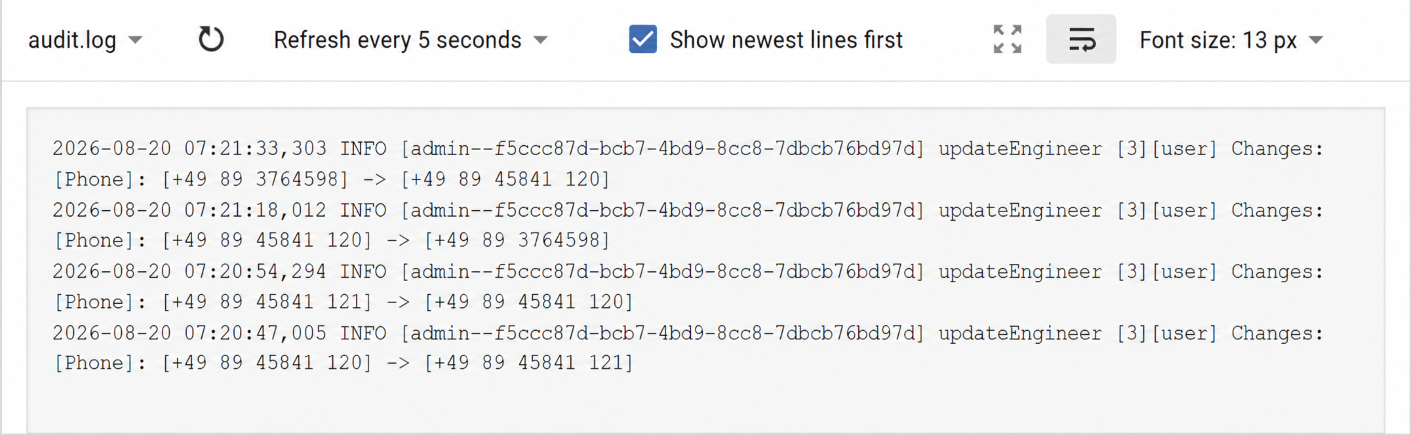
Learn more in New audit logging.
Dive deeper
Visit Introduction to the release 6.19.0 to discover the complete list of changes included in ConSol CM 6.19.0.
Any questions – or simply feedback? Contact your ConSol CM representative in Consulting, Support or Sales. We look forward to talking with you!